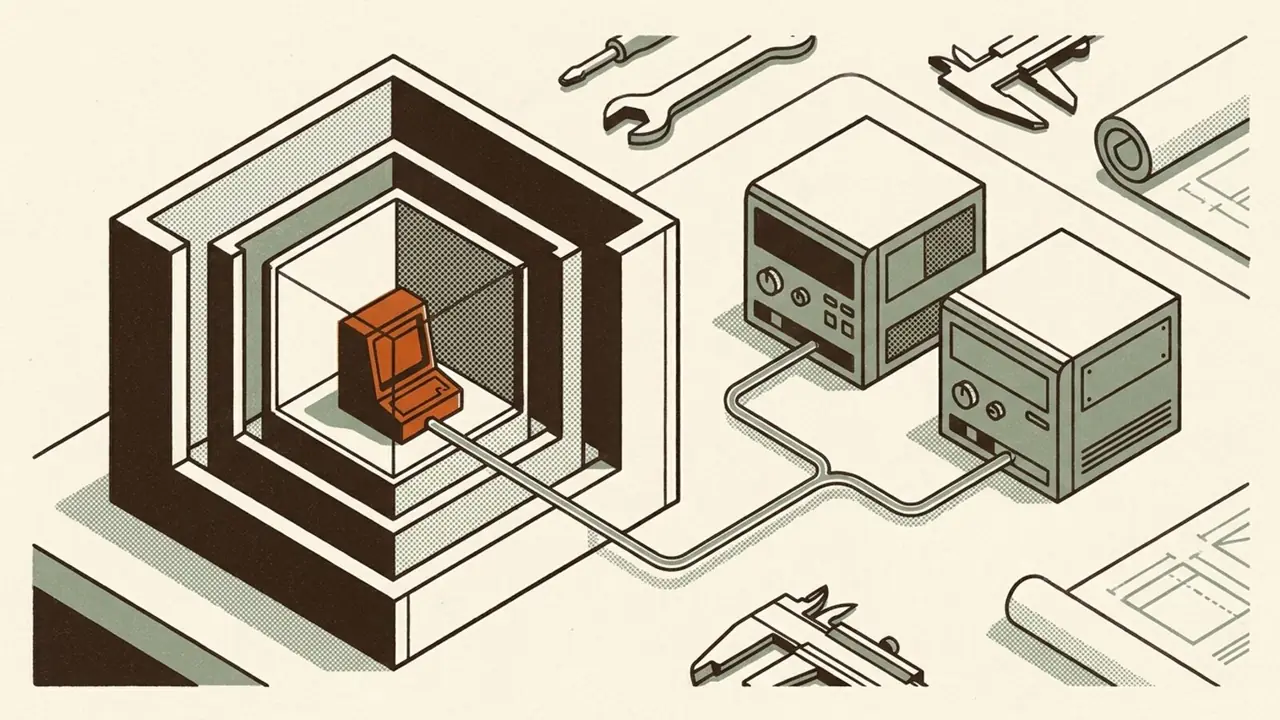
I already have agents running around the clock. What I want now is a clearer picture of the environment they operate in and exactly where I am protecting it.
Where does each agent run? What can it access? Which control enforces that limit? Where can I see what happened when something goes wrong?
I want an environment I control, with protections I can point to and test. That is the build I am documenting in this series.
I already have VMware, the hardware, and GLM running locally on my two NVIDIA DGX Sparks. I want to use those pieces to understand the full path from an agent's task to the systems it touches.
That is why I do these lab projects. When the runtime fails, the browser stops, or the model cannot answer, I want evidence I can inspect and a system I can repair. Owning the environment makes those operating decisions my responsibility. It does not prove the controls work.
This is Part 1 of How I'm securing my agents. I am starting with where execution happens. The first question was narrow: could a small guest inside my VMware lab run a task against GLM on my DGX Sparks?
Yes. A Firecracker microVM booted inside an Ubuntu VMware VM, and a Python task in that guest received a valid response from local GLM. That establishes a working execution path. It does not mean I have moved all my agents into microVMs or secured this one. Permissions, network enforcement, and recovery are the next tests.
Give the agent a computer. Keep the model on the DGX.
An agent needs somewhere to work: files, a runtime, and tools. The model needs compute and memory for inference. I want to manage those parts separately.
Firecracker runs a small virtual machine, often called a microVM. In this experiment, that guest had 1 vCPU and 512 MiB of RAM. GLM stayed on the DGX. I did not need to put a copy of the model inside the microVM.
The compute stack was: Physical ESXi host -> Ubuntu VMware VM -> Linux KVM -> Firecracker microVM -> Python task.
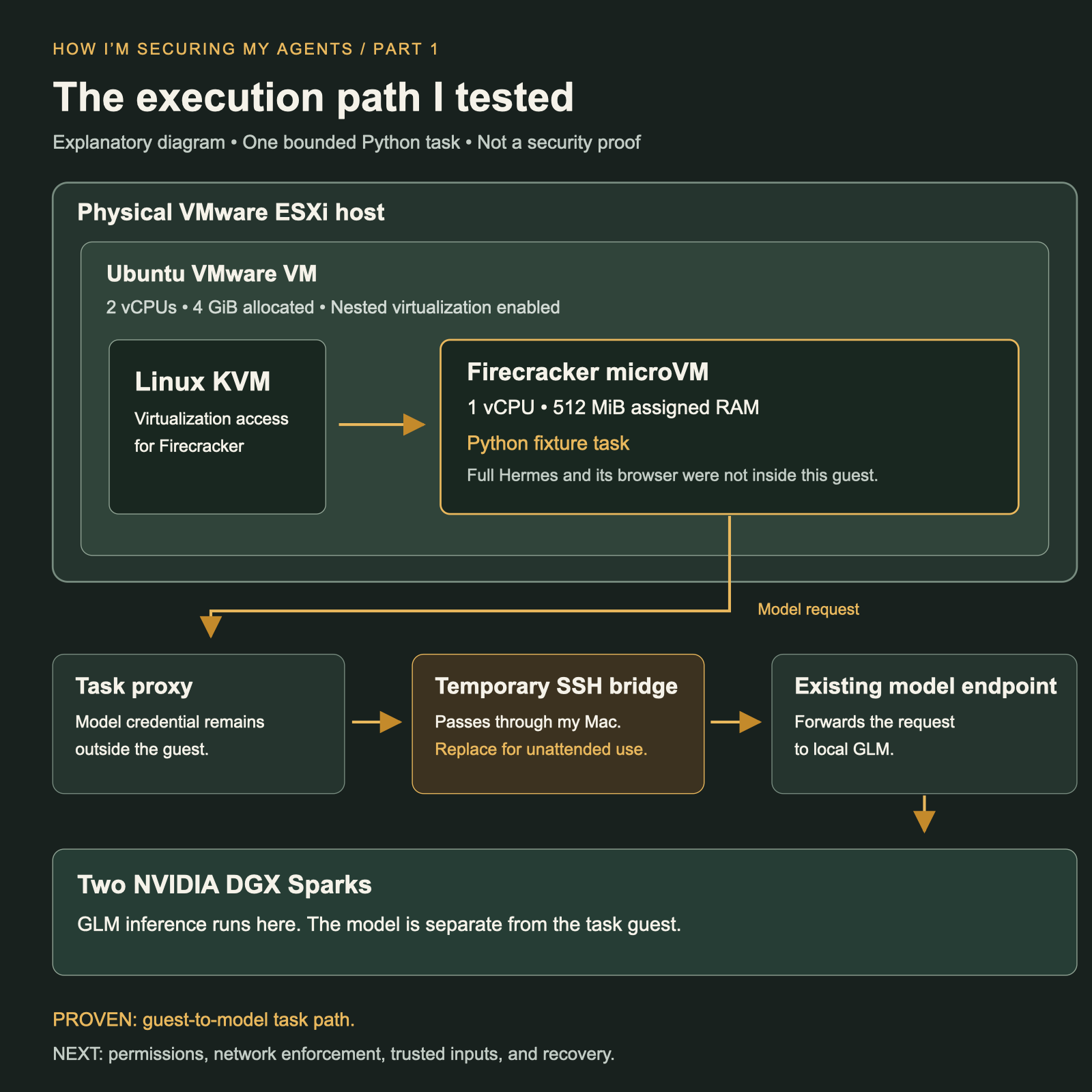
KVM is the Linux interface that Firecracker uses for hardware virtualization. The VMware guest needs to expose that capability so another guest can run inside it. That is nested virtualization.
The model request went through a proxy for this task and an SSH management bridge to the existing model endpoint, then to GLM on the DGX Sparks. The guest did not receive the model credential. That credential stayed outside the guest.
The temporary SSH forwarding path passed through my Mac to reach the existing model endpoint. That let me prove the task worked, but it would tie an unattended agent to my management computer. A persistent private model path is one of the next things I need to build.
The useful design choice is separating the agent's working environment from the machine serving the model. I can change the guest runtime without moving the model into it. This test used my VMware and DGX lab; the separation is the part I want to carry forward.
Start with the VM you actually have
Hermes is the agent runtime I already use in a separate VM. That VM had no vmx or svm CPU flag and no /dev/kvm device. Firecracker needs KVM access. An agent already running in a VM does not mean that VM is ready to host another one.
I used a clean test VM instead. It had 2 vCPUs, 4 GiB of allocated RAM, and a 24 GiB thin-provisioned disk. Nested virtualization was enabled. The live Hermes VM stayed unchanged.
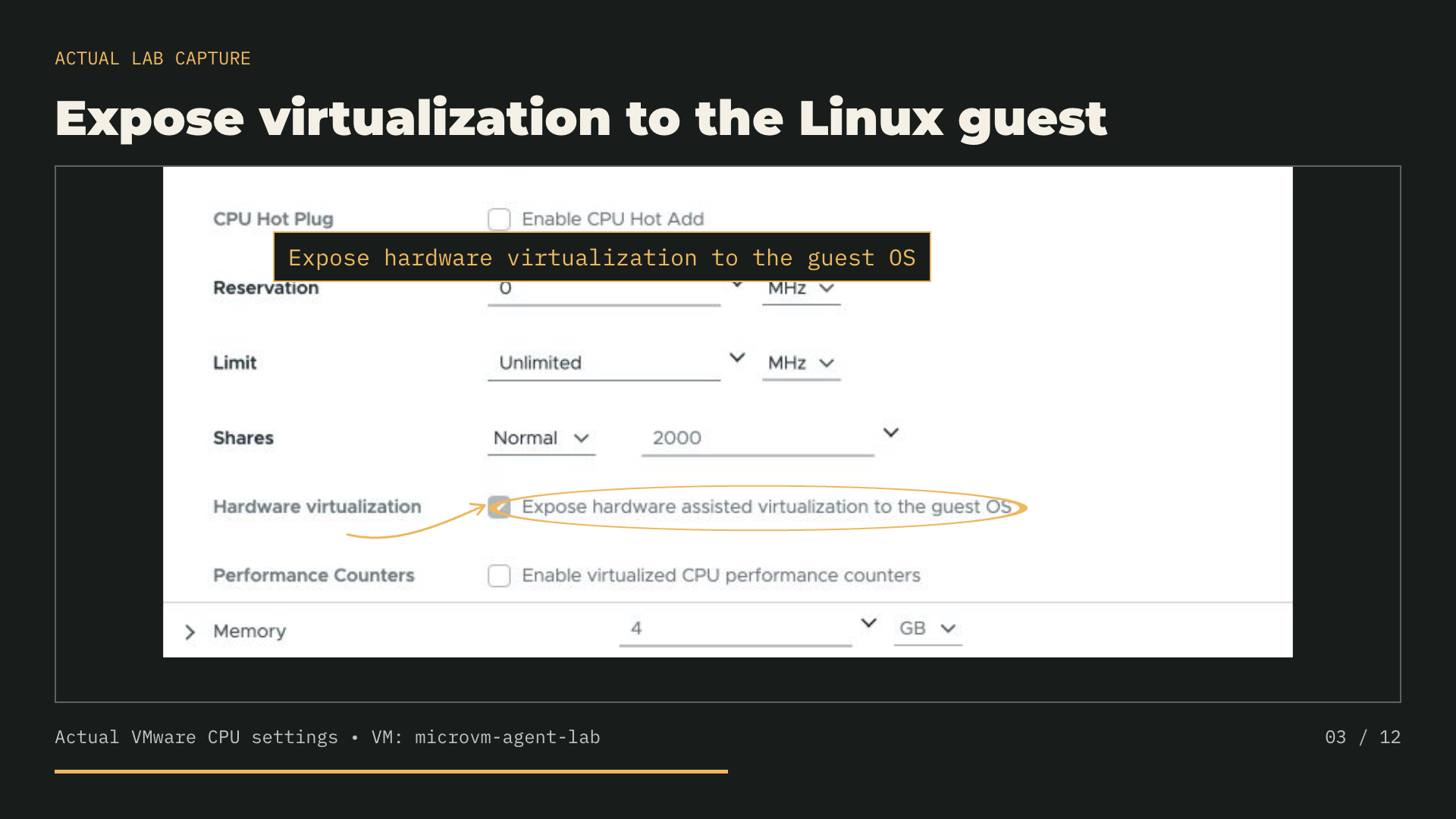
That distinction matters for this story. The inner guest ran one bounded Python task. Full Hermes, its browser, and its scheduler were not inside it. I tested the small agent computer first.
Three starts. One real model task.
I used Firecracker 1.17.0, a Linux 6.18.51+ guest kernel, and an Ubuntu 24.04 root filesystem from Firecracker's official CI artifacts.
I started a fresh Firecracker process and guest three times on the same Ubuntu host. The host's caches were not cleared between runs.
- Trial 1: process start to successful SSH, 4.818 seconds; host-side Firecracker process RSS at readiness, 120.40 MiB.
- Trial 2: process start to successful SSH, 3.987 seconds; host-side Firecracker process RSS at readiness, 106.75 MiB.
- Trial 3: process start to successful SSH, 4.744 seconds; host-side Firecracker process RSS at readiness, 103.84 MiB.
These timings measure when an SSH command succeeded. They do not measure kernel boot time. RSS is the resident memory of the host-side Firecracker process, sampled from /proc at that point in the outer Ubuntu VM.
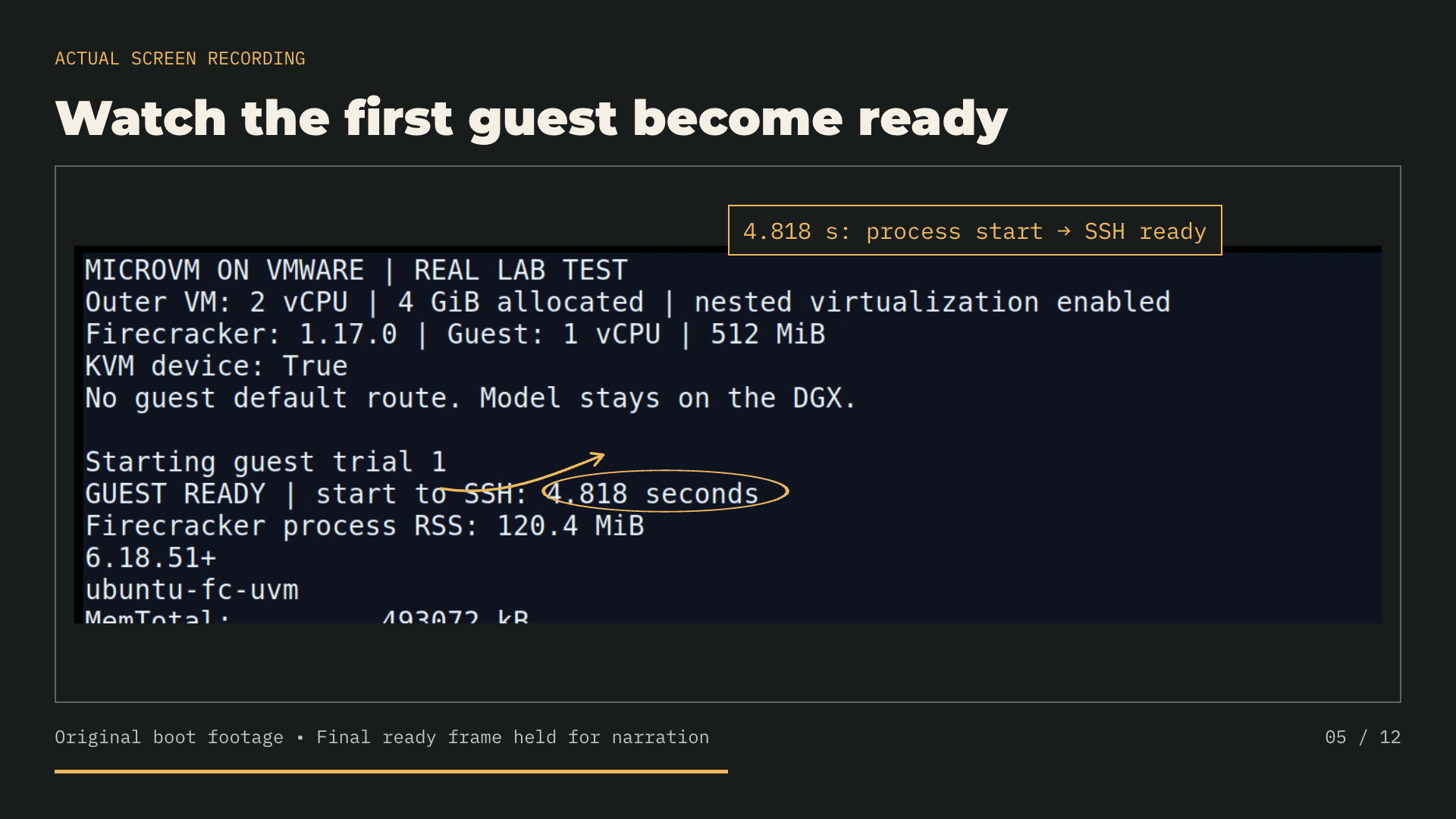
The 512 MiB guest allocation, the process RSS, and the outer VM's 4 GiB allocation are different numbers. The outer VM still counts. Its memory was allocated, not reserved. I have not measured the whole stack's memory use or made a matched comparison with another deployment.
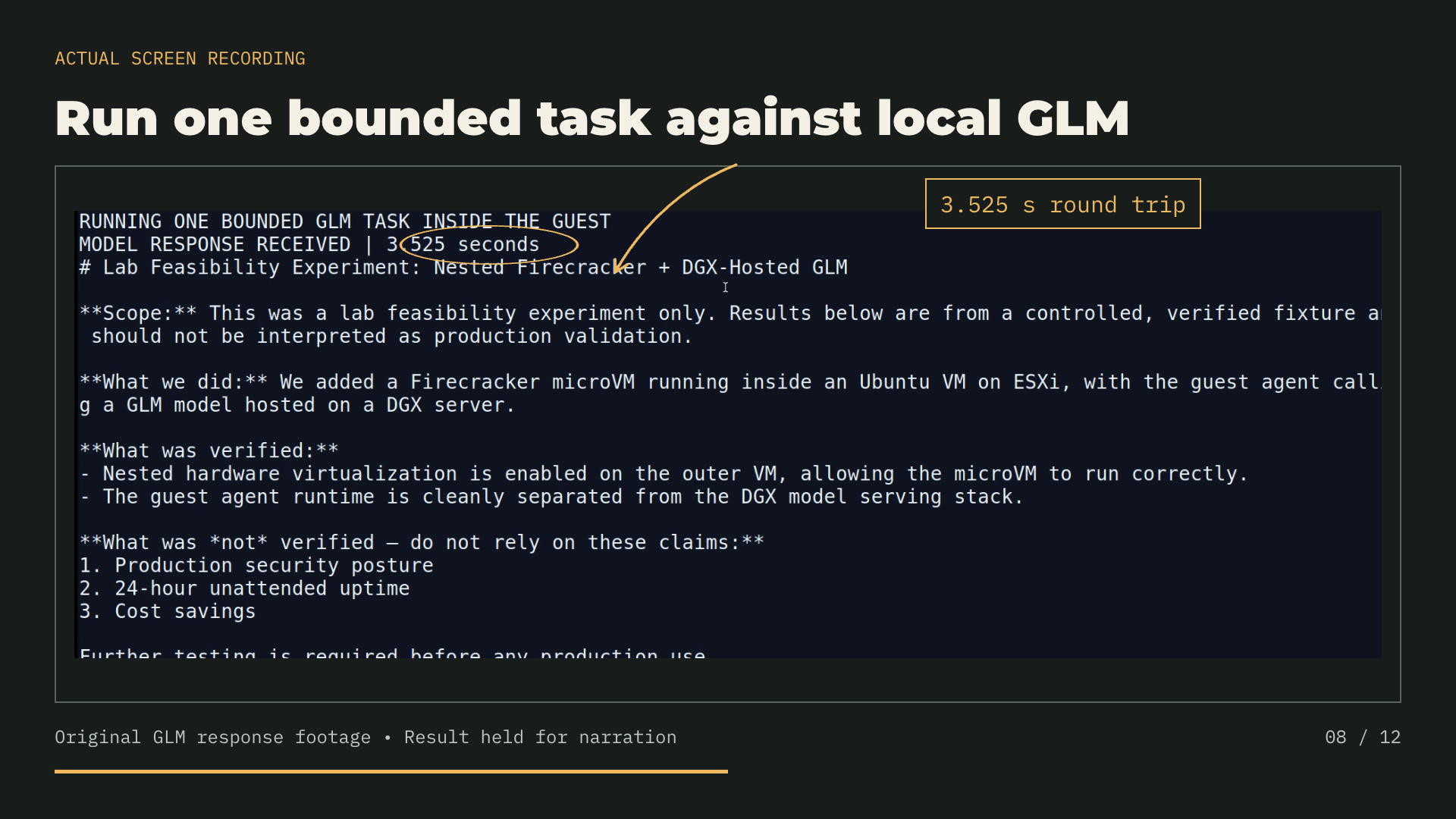
Trials 1 and 2 tested startup only. Inside the third guest, the Python runner read a controlled fixture and asked GLM to summarize it. The returned answer described the nested Firecracker setup and the separate DGX model server. It did not make up cost, uptime, or performance results.
The model identifier returned by my local API was GLM-5.3-Flash-EXL3. That is the local serving label. I did not inventory the model weights, quantization settings, or model-server memory use in this experiment.
The model request completed in 3.525 seconds, including forwarding and the response. It reported zero cached prompt tokens. This timing is separate from guest startup. These article measurements come from the original run; the later console recording has its own timing and cache record. I saved the answer, guest identity, and timing. This is one request measurement, not a throughput benchmark.
The guest also had no default route. A route lookup for 1.1.1.1 returned "Network is unreachable." That confirms the missing default route. It does not test every possible network path or establish a complete network sandbox.
What I need before trusting this environment
The next version should stay up without the management-computer bridge. It should run repeated tasks, save its work, and recover after a model outage or restart. I want task records and measured recovery, not just a successful demo.
I also need to harden execution. This run used administrator access, no Firecracker jailer, and a CI guest image. Firecracker's guide treats its starter resources as demonstrations and describes a jailer for secure production execution.
There is a VMware support boundary too. Broadcom generally excludes nested hypervisors from support outside its listed limited Hyper-V cases. This experiment is a lab result, not a supported production design.
I have not completed a 24-hour reliability test or proved a cost or security advantage. Hardware, power, administration, and licenses still count. Those are things to measure as this becomes useful.
Next: own the controls as well as the computer
For the agents I already run, I want the controls to be explicit. I need to decide which identity it uses, which systems it can read, which actions it can take, and what happens when a request should be refused. A local model does not answer those questions by itself.
Controlling the execution environment is step one, and this experiment is the start of it: a small guest I can start, stop, inspect, and rebuild, with the model kept outside it. The next step is controlling what the agent does inside that environment.
That is where I want to take the series next, with AgentMinder. I will record the actual console and follow a request through the controls. I want to show an allowed action, a denied action, and the record that explains each result. Those are planned tests, not results from this microVM experiment.
After AgentMinder, I want to test the network boundary. The agent needs to reach the model, but that does not mean it should reach every workload in my lab. I will examine where NSX and vDefend can enforce that separation and test what they actually see in this nested setup.
Then I will look at what I bring into the environment: model files, packages, and tools. That includes how I select and verify downloads from places such as Hugging Face. A local file still needs a reason to be trusted.
Finally, I want to interrupt the model connection and restart the runtime. Does the agent preserve its work? Does it recover within its permissions? After those checks, I can run a measured unattended trial. That is how I want to test reliability in this environment, including whether its controls still hold during a failure.
Owning the pieces gives me somewhere to enforce those decisions. It does not remove dependencies: I still use VMware, Firecracker, model software, and the hardware underneath them. The goal is to reduce reliance on someone else's hosted agent service and keep the operating controls with me.
The first result is small and concrete: a 512 MiB microVM inside my VMware lab completed one task against local GLM. I saved the console evidence and the measurements. Now I can work through each protection around that environment and show where it applies, what it blocks, and what evidence I have that it works.
References
- Firecracker getting-started guide KVM access, demonstration guest resources, and secure production execution with the jailer.
- Broadcom nested virtualization support, KB 313547 Support limits for nested hypervisors. This Firecracker setup is a lab experiment.