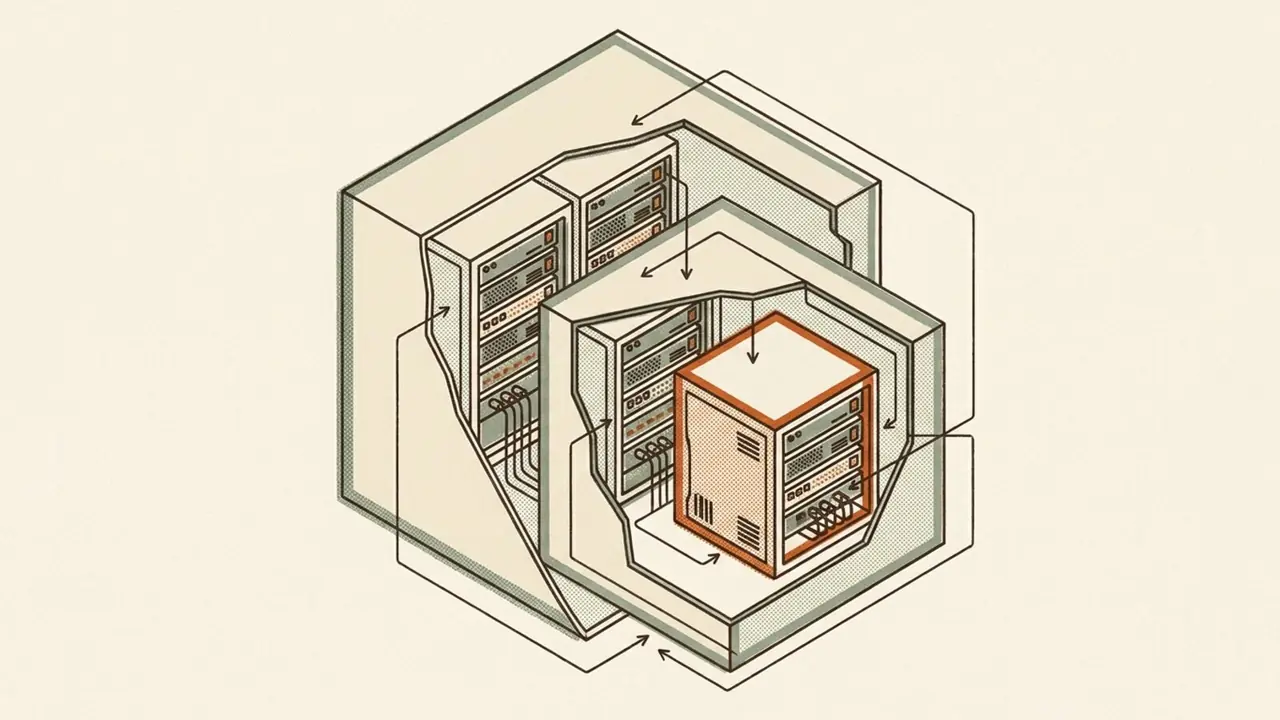
My lab vCenter was a VCSA 8.0.3 appliance, and the hosts I wanted it to manage had moved to ESXi 9.1. vCenter has to be at least as new as the hosts underneath it, so the 8.0.3 installer already sitting on disk was dead weight. I pulled VMware-VCSA-all-9.1.0.0.25370922.iso — 12,849,958,912 bytes — checked its SHA256 against the portal value before touching it, and started from there.
The lab it was going to front is mixed: two nested ESXi hosts running as VMs on a dual-socket Xeon workstation under Proxmox, plus two small bare-metal ESXi nodes. The appliance itself landed on one of the bare-metal boxes, which the installer's HostConfigs precheck read back as:
Found non-clustered host 'localhost.lan'. Memory size: 31.78 GB.
Logical CPU (core) count: 12. Hyperthreading is enabled.
That is the whole rig for context. Everything below is what went wrong.
Getting at the OVA without root
Mounting was not available. sudo on that box wants a password and I was driving it non-interactively:
sudo: a terminal is required to read the password; either use the -S option to read from standard input or configure an askpass helper
sudo: a password is required
The rootless fallback did not help either. udisksctl loop-setup went to polkit, and polkit wanted a terminal it could not have:
Error creating textual authentication agent: Error opening current controlling terminal for the process (`/dev/tty'): No such device or address (polkit-error-quark, 0)
Not authorized to perform operation
Both privilege paths need a controlling terminal. None of 7z, 7za, bsdtar, xorriso or isoinfo was installed, and installing any of them needs the sudo I did not have.
So: userspace. A throwaway venv with uv, pycdlib, and read the ISO structure directly. About twenty seconds later:
DONE: 12861 files, 1.73 GB -> /home/pranav/vcsa-isoThe 9 GB file that extracted to 358M
Nothing errored. The extraction reported success and the vcsa/ directory came out at 649M, with the OVA inside it showing as 358M in ls -lh. The OVA should be about 9 GB.
VMware's installer ISOs are hybrid ISO9660+UDF images. ISO9660 has a 4 GiB per-file ceiling, so the ISO9660/Rock-Ridge directory record for the OVA advertises a wrapped size, and reading through that view returns exactly that many bytes with a clean return code. The intact file only exists in the UDF filesystem. Probing confirmed it:
has_udf: True
RR record size:  375143936
UDF record size: 8965074432
The fix was to re-extract that one file through the other view:
iso.get_file_from_iso_fp(fh, udf_path=p)
# OVA extracted: 8965074432 bytes
This is the part I would have missed entirely if I had trusted the exit code. Silent truncation with a successful return is the worst failure shape there is — you find out later, during deploy, with no obvious cause. The same trap applies to any large payload on any VMware ISO.
The recovered OVA is a tar with eight members: the OVF descriptor, a manifest, a cert, a JSON, an RPM, and three stream-optimized VMDKs at 815 MB, 8.1 GB and 143 KB.
619 GB of declared disk against a 110 GB datastore
The tiny deployment size is the OVF default, and its own description says what it wants:
This will deploy a Tiny VM configured with 2 vCPUs and 14 GB of memory and requires 619 GB of disk space.
The target datastore had rather less than that:
Found datastore 'datastore1' in host 'localhost.lan': Capacity = 110.25 GB. Free space = 108.84 GB.The datastore is small because I missed systemMediaSize=small at the ESXi install — it has to be passed with Shift+O at the installer loader — so OSDATA ate 119.8 GB of a 256 GB drive. My own mistake, months earlier, showing up as a blocker now.
But the 619 GB is not a real footprint. It is a provisioned number. Only three VMDKs actually ship inside the OVA — system at 49,728 MiB, cloudcomponents at 7,684 MiB, swap at 2,000 MiB, about 58 GiB of declared capacity between them. The rest of the appliance's partition disks are declared in the OVF with an empty fileRef and created empty at deploy time. For scale, the installer parses sixteen deployment options at startup (tiny through xlarge, each with -lstorage and -xlstorage variants, plus internal-minimal) with declared disk requirements running from 619 GB up to 4,668 GB.
Setting thin_disk_mode true in the template resolved it. The TargetDsFreespace precheck then measures the real thin footprint rather than the declared number, and passed in about twenty milliseconds. No ESXi reinstall, no new drive. I had two contingencies queued — reinstall with systemMediaSize=small to reclaim the ~119 GB, or add a larger NVMe and storage-vMotion the appliance across later — and neither was needed.
The template error that was a password prompt
Before deploying I ran the template through validation. Template syntax validation succeeded. CLI argument validation succeeded. Then:
Cannot complete loading configuration data from the template '~/vcsa-iso/vcenter-lab.json'.
The template could be invalid. You must check the template and ensure that its key-value pairs are valid.
It ended with tasking.taskflow.TaskExecutionFailureException, an empty "Error message:" line, and a result file reading {"status": "runtime_error", "status_code": 1}.
The template was fine. I had deliberately left all three password fields blank so nothing was ever written to disk. Blank passwords make the installer fall through to an interactive getpass, and there was no TTY. The giveaway is one line earlier in the log:
Checking if --provide-passwd-in-stdin flag is set
GetPassWarning: Can not control echo on the terminal.
vcsa-deploy reports a non-interactive password prompt as a template parsing error. Anyone who trusts that message loses twenty minutes staring at valid JSON.
The fix was to accept that this run had to be human-driven: run it in a real terminal, where it prompts for the three passwords in order — ESXi root, appliance root, SSO administrator. --provide-passwd-in-stdin is the automation escape hatch if you are willing to pipe secrets in. I was not. The template file stays 0600 with the password fields blank and a comment at the top saying so.
Two other things the 9.1 installer surfaces that are worth knowing before they alarm you. It emits a banner on every run against the older template shape:
NETWORK SECTION DEPRECATION WARNING: The existing network configuration section is being deprecated in preference for the new v4 and v6 subsections.And the IpFqdnInUse precheck pings the target address and treats "Destination Host Unreachable" as its pass condition. An unreachable ping is the outcome you want. The precheck phase as a whole works through target credentials, host type and version, OVA properties, DNS resolution, appliance name, datastore free space, SSO, plus vSAN bootstrap and vLCM cluster checks, and finished in 21 seconds.
17 minutes 26 seconds
The install that worked ran 21:08:43 to 21:26:09 wall clock. Broken down: prechecks 21 s, OVF push of the 8.97 GB appliance 3 min 20 s, then 13 min 41 s of monitored in-guest deployment. Inside the appliance that split into RPM install at 5 min 4 s and firstboot scripts at 7 min 57 s. The deployed VM runs at hwVersion "vmx-17".
Two RPMs in the install list stood out: VMware-wcp-9.1.0.0 and VMware-halb-ovf-9.1.0. vCenter 9.1 brings up Workload Control Plane by default, visible at 91 of 100 through firstboot:
Task: Run firstboot scripts.(RUNNING 91/100) - Starting Workload Control Plane...You get the Supervisor machinery whether you asked for it or not. Because system_name was set to the management address and the lab has no DNS, the appliance reports its System Name as "localhost" in the login summary and the host beneath it calls itself localhost.lan. Cosmetic, but it shows up in every log line and it is disorienting the first time.
Rebuilding the inventory, and the same bug twice
I rebuilt the inventory by script rather than by clicking: about 115 lines of pyvmomi that create the datacenter (named Pranav Web Services) and four one-host clusters, us-home-1 through us-home-4, then join each host. The naming is an AWS parody and exists purely for my own amusement.
First run: datacenter created, all four clusters created, then all four host joins failed identically.
FAILED: Authenticity of the host's SSL certificate is not verified.AddHost_Task does not raise SSLVerifyFault. It returns it inside task.info.error — and task.info.error is itself the fault object. My code reached for err.fault, so the thumbprint the fault was politely handing back was never picked up.
Two changes. Pre-fetch each host's SHA1 fingerprint out of band and pass it as sslThumbprint in the ConnectSpec up front:
openssl s_client -connect <host>:443 | openssl x509 -noout -fingerprint -sha1And treat task.info.error as the MethodFault it is, catching vim.fault.SSLVerifyFault and retrying with err.thumbprint. Next run, three of four hosts joined. The fourth said this:
FAILED: 'vmodl.fault.NotEnoughLicenses' object has no attribute 'fault'Same wrong assumption, second copy, this time in the generic error branch. Reporting the fault object directly surfaced what was actually happening:
vmodl.fault.NotEnoughLicenses: License not available to perform the operation.That host had reverted to the free edition, esx.hypervisor.cpuPackageCoreLimited, which vCenter cannot manage. The exception-handling shortcut had been hiding a real infrastructure problem behind an AttributeError. That is the part worth keeping: a sloppy error branch does not just lose detail, it converts an operational fault into a code fault and sends you looking in the wrong file.
A free-licensed host cannot be licensed over the API
The obvious next move was to apply the key with pyvmomi. licenseManager.UpdateLicense() returned no error and produced nothing:
licence: was esx.hypervisor.cpuPackageCoreLimited -> now (used 0/0)AddLicense was more honest about it:
vmodl.fault.NotImplemented: The requested operation is not implemented by the server.Reading the host back showed the edition unchanged with the diagnostic "Evaluation period has expired, please install license." Earlier write attempts on the same host had thrown vim.fault.RestrictedVersion: "Current license or ESXi version prohibits execution of the requested operation."
The free vSphere Hypervisor edition runs the vSphere API effectively read-only, which includes the call whose entire job is licensing. There is a related trap next to it: standalone hosts have no licenseAssignmentManager at all — that object is vCenter-only — so the standalone method is licenseManager.UpdateLicense(), and on a free host even that silently no-ops.
The only path is the host's own web UI: Manage, Licensing, Assign license. The edition then read back as esx.vcf.cpuCoreMin, "vSphere 8 Enterprise Plus for VCF", 16 of 100 cores used, and the API join succeeded immediately afterwards. The script now prints that UI instruction as its own fallback path, because I will forget.
Credential handling throughout was file-based and ephemeral: a two-line 0600 file written with read -rsp so nothing hit shell history, consumed by the scripts through an env-var path, shredded when done. The scripts read from that file and never hardcode or print a value.
What nesting actually costs
The earlier VCSA 8.0.3 tiny deploy went onto a nested ESXi host. Tiny wants 14 GB and it was memory-tight; firstboot ran slow and the Observability service flapped to [FAILED] on the console, though firstboot still completed 100 of 100. The bare-metal 9.1 deploy showed no flapping and finished firstboot in 7 min 57 s. I don't have clean nested-side timings to put next to that, and no record of whether the nested host's RAM was ever bumped afterward.
The second cost is blast radius. Stopping or starting the nested ESXi VMs on the Proxmox side takes the nested vCenter down with them, which I have done to myself mid-investigation and then spent time diagnosing as a lab fault. And nested ESXi hostd is fragile enough that "the lab is offline" usually means restarting hostd and vpxa rather than anything deeper. Neither of those shows up in a build guide, and both are the actual day-to-day tax.
There is a third, more about latency than fragility: a nested vCenter in this lab was slow enough under load on a later build that I bypassed it and drove the ESXi host API directly, which answered in roughly 0.1 s. Worth knowing before you architect anything that polls vCenter in a loop.
I also have no record of how the two nested ESXi VMs were originally built — CPU type, nested-virtualisation flags, NIC model, vSwitch promiscuous and forged-transmit settings, disk layout, none of it written down. My own VKS build plan lists "Proxmox VM CPU type not host" as an anticipated breakage, which tells me the setting matters and that I never recorded what I set it to. I can't even confirm the exact ESXi build on those two nested hosts; an old note loosely calls it 8.0 U3g.
What VKS still needs
WCP installs with vCenter 9.1 whether or not you plan to enable it, and the edition that carries the Tanzu/VKS entitlement — esx.vcf.cpuCoreMin, vSphere 8 Enterprise Plus for VCF — is now on the hosts. The licensing gate is closed.
What remains is architectural. One-host clusters can do neither HA nor DRS, so the two bare-metal nodes need merging into a single cluster, and they are different CPU generations, which means an EVC baseline — work that was still open as of the last evidence I have.
Beyond that the plan stays NSX-free: VDS plus Avi/NSX-ALB is the lighter path, an HAProxy OVA fling in front of it, a tiny Supervisor of three 8 GB control-plane VMs, and NFS off the Proxmox host as the storage of least resistance. The list of breakages I wrote down before attempting any of it reads: missing license (closed now), MTU mismatch, HAProxy cert trust, storage policy not tagged, and Proxmox VM CPU type not set to host. As of my last record none of it had been stood up — no Supervisor cluster ever enabled.
The licenses for all of this come through work, which is a decent argument for running the lab hard rather than letting it idle, and an equally decent argument for keeping at least one non-VMware hypervisor node in the mix so whatever I build on top of it is not single-platform by accident. Next up is the cluster merge and the EVC baseline — a couple of hours of clicking I have been putting off, and nothing about it will be interesting until it breaks.